 It’s Time For Something New…
Check Back Soon For More Information…
uApps Updates and Information
It’s Time For Something New…
Check Back Soon For More Information…
 uSurf 4.2 began hitting the app store last night with some great updates to Split-Screen for iPad. uSurf 4.2 has the following changes:
As always bug reports can be submitted through the app, on uSurf support on here, and of course on this post.

uSurf 4.0.1 is live on the App Store for iOS right now and it bring some much needed fixes that were discovered with the release of 4.0.
As of right now this is it for changes. I of course am always looking for things to fix and ways to improve so if there are any suggestions please leave a comment or email uApps@icloud.com with the subject uSurf!
uSurf launched around a year ago and it has grown so much in the year it has been out. For uSurfs 1st birthday I thought I would give it a big update with some great new features. uSurf and uApps have grown a great deal within this year and even though there has been some great updates and I would like to thank you for downloading. There will be plenty of more updates coming. uSurf 4 comes with a pretty big changelog:
Time for some upgrades…
4.0:
Thanks for using uSurf for an entire year and I will see you all with the next update.

uSurf 3.1.1 is here right in time for the iPad Pro release!
3.1.1 Release Notes:

Apple today gave mac developers a little love by giving them OS X 10.8.2. The update focuses on Facebook integration and more of what I was hoping for Messages integration across devices. This update will allow you to have iMessages that go to your phone number to go to your Mac too. All you need to do is sign into an iCloud account and if your phone number is registered with it then you are good all though I had to switch it on in the settings. So go get downloading if you haven’t.
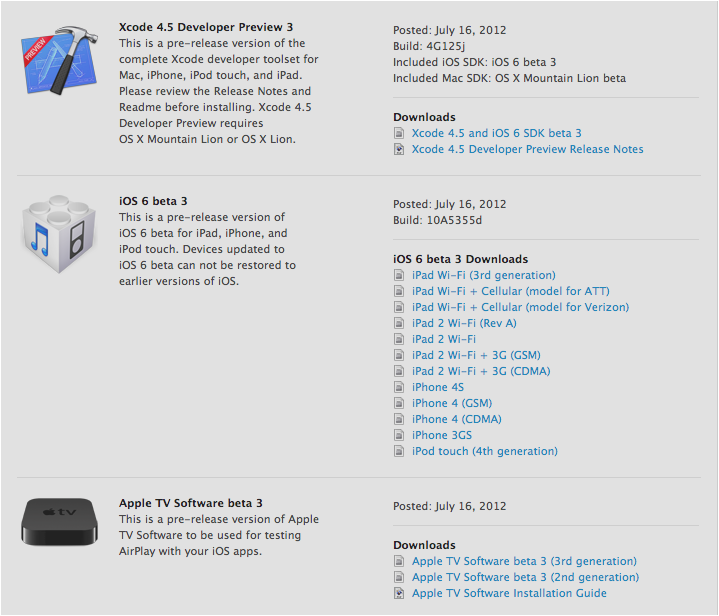
Im a little late on this yes but I just got to my laptop. Beta 3 is available for all devs so go get it if you haven’t. Available over the air or from the developer portal.
5 years ago from this very time (8:00 PM) on this very day (June 29th) the first iPhone was launched and it was the most amazing thing I had ever seen. To me the design is still the best with the brushed aluminum on the back. It will always be to me the best looking iPhone there ever was. It was amazing. I remember I was only 11 at the time and my mother refused to get me one. only 2 models available the 4Gb for $600 with contract and an 8GB for $700 with contract. Just last year I was able to get my hands on the wonderful device I so craved back when I was 11 years old and yes I still love it. Here we are 5 years later and that iPhone is the base of a ton of what’s around us. I am sorry android users but your phone was based off of this. So for that I say happy birthday iPhone.
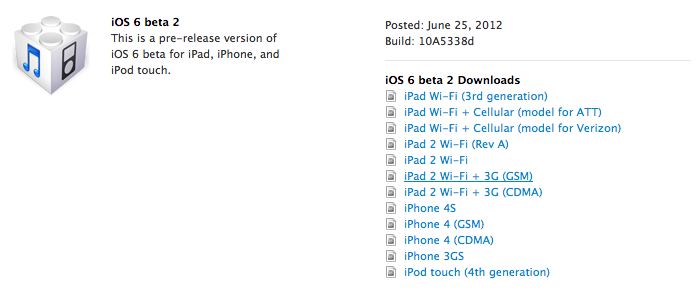
Yesterday (yes I am late) Apple released iOS 6 beta 2 for members of the iOS developer portal. The update contains bug fixes, more bugs added, and some new features which I will add later. To download and install you must be part of the developer portal. You can either download the software from Apple’s Developer Portal or if you are running iOS 6 already go to Settings>General>Software Update> Download. The Gears should spin inside the settings app but no the home screen icon stays still. So go and get it if you haven’t yet!
Yes I know iOS 6 is in beta and I know it is only the first beta but I thought I would share some bugs with you that I have found so if you are running the beta you will know that I have found them as well. So let’s get started
If you have found any other bugs please leave a comment below saying the bug and what device you are running or use the form below.
 uApps
uApps 