Apple releases Mac OS X 10.7.3

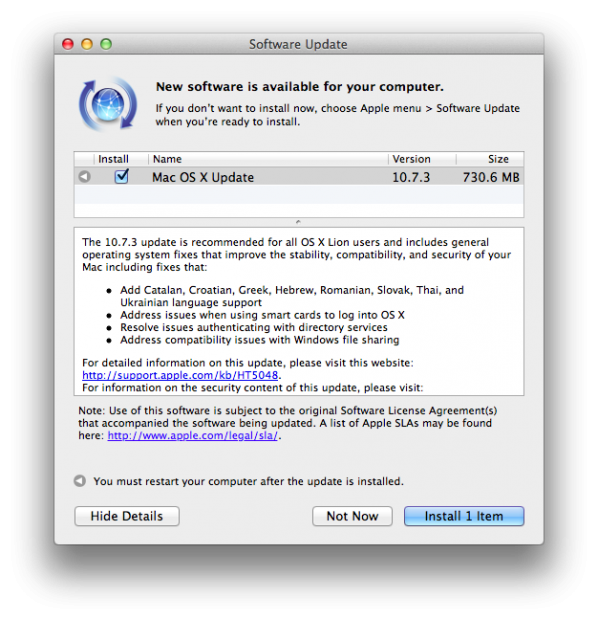
Apple today has released Mac OS X 10.7.3 to the public and here are all the changes

The 10.7.3 update is recommended for all OS X Lion users and includes general operating system fixes that improve the stability, compatibility, and security of your Mac including fixes that:

-Add Catalan, Croatian, Greek, Hebrew, Romanian, Slovak, Thai, and Ukrainian language support -Address issues when using smart cards to log into OS X -Resolve issues authenticating with directory services -Address compatibility issues with Windows file sharing

For detailed information on this update, please visit this website: http://support.apple.com/kb/HT5048.

For information on the security content of this update, please visit: http://support.apple.com/kb/HT1222.

So get downloading!

How to Jailbreak iPhone 4S/iPad 2 with Absinthe 5.0.1 untethered[Update:New Download Links]

The wait is finally over my friends. Today we finally have our A5 iPhone 4s/iPad 2 jailbreak and I am going to walk you through how to do it.

First here are the things you will need:

iPhone 4S/iPad 2 running iOS 5.0.1

Absinthe UPDATE: Mac(New), Windows, Linux 

So once you have all of that the rest of the process is very easy here is what you do

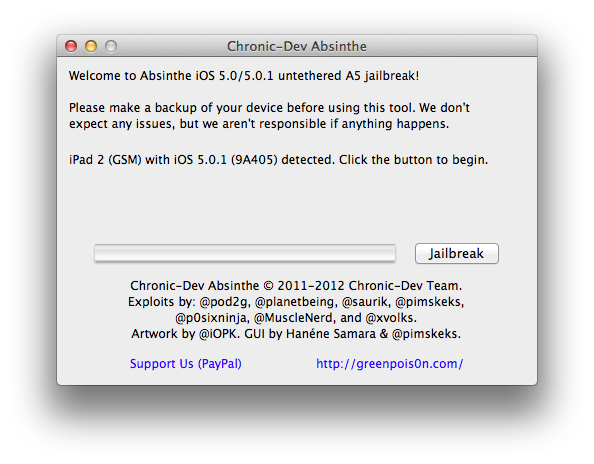
1. Open Absinthe and hit jailbreak.

Your device will go through all the steps it needs. Your iDevice will return to the lockscreen before the entire thing is done. Only unlock the device when Abisinthe tells you too.

2. From there you will need to enter the newly installed app and hit Jailbreak or Install cydia. If there is a database error don’t worry the servers are hammered I haven’t been able to get through yet either.

3. Done. You have your jailbroken iDevice with an A5 processor. I will update this post when I see the servers are working.

How to do an untethered jailbreak on iOS 5.0.1 (up to A4)[UPDATE:New Download Links!]

Being a technical wizard at my school I am always asked how to jailbreak devices and the benefits of it. So I am going to start adding some jailbreaking goodness to the site. Anyways today I am going to walk you through jailbreaking your iOS 5.0.1 device. There will be a video for you to watch on how to do it below and remember this can be done for Mac and PC users. So let’s get started.

1. Download the newest version of redsn0w UPDATE: (9.10b5) (mac) (windows) and iOS 5.0.1.
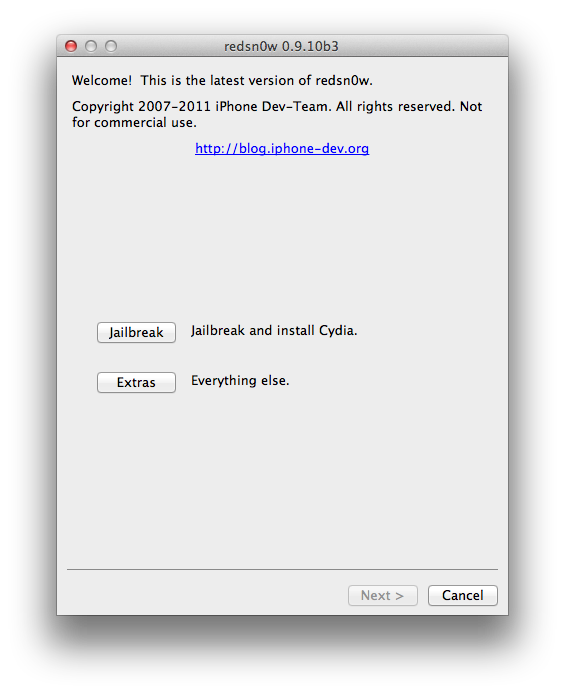
2. Open up redsn0w and you will be welcomed by the following screen (click to enlarge):

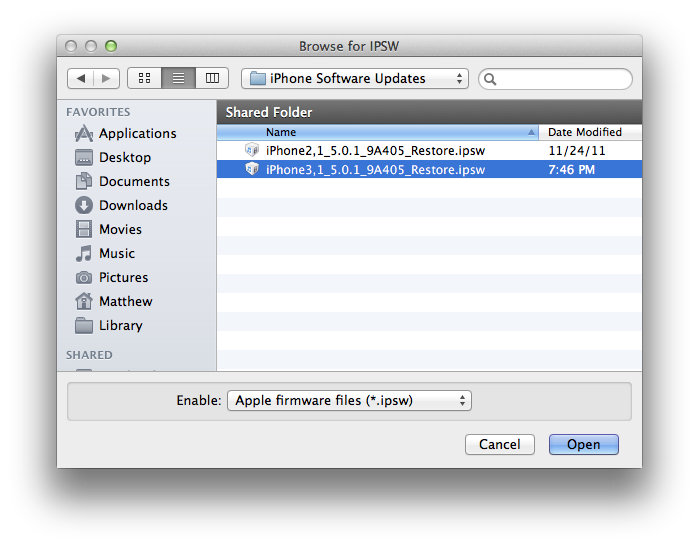
3. From the welcome screen hit extras->select ISPW and find your iOS 5.0.1 download.

4. You will see a prompt saying that this will be used for the rest of the session. Select ok. From the screen hit back to get to the main screen from number 2. Then hit jailbreak

5. Just select jailbreak for now and hit next. (Multitasking gestures don’t work on the iPhone and should work on the iPad 1 with iOS 5.0.1)

6. Follow the on screen instructions and wait for reboot.

7.To get a reboot you will need to press back to get to the main screen when the Apple Logo appears on your phone. From there hit extras and then boot tethered. Follow the instructions and you should be fine. If this was done correctly you should see your iDevice booting with a pineapple

8. Enter cydia. Hit developer and then go to the search. From there search Corona. In the drop down menu it should say Corona 5.0.1 untethered. Select that and then install. You know have a fully jailbroken phone! If you did not get any of this watch the tutorial below!

Congrats!

More Renderings of the iPhone SJ Emerge

This slideshow requires JavaScript.

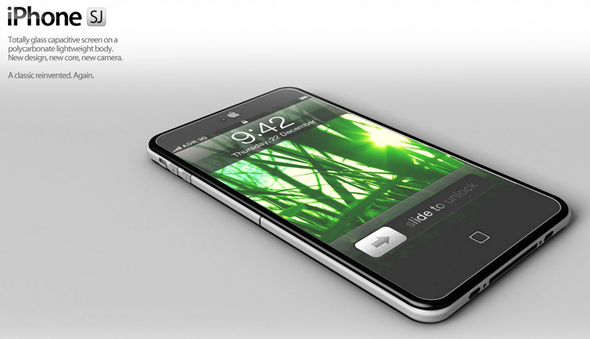
Above are all the images for the iPhone SJ Concept including ones that emerged today. The iPhone Sj concept was amazing concept that I brought to you about a week ago. The concept had gotten so much attention ADR Studios added some new photos [Above] to the collection along with a video! This is what I hope Apple’s sir Jonathan Ives and Apple’s design team is looking at. Well some parts anyways. Full gallery of all the concept images along with the video below!

Gallery:

[ADR Studios]

Siri Coming to iPad?

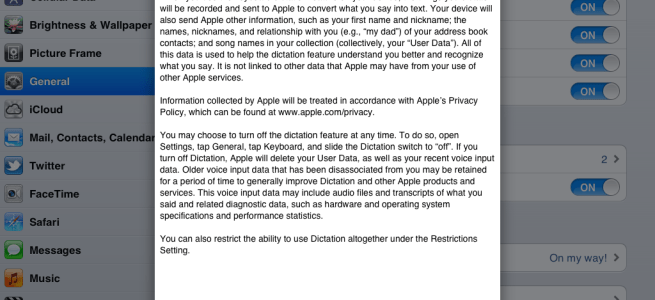
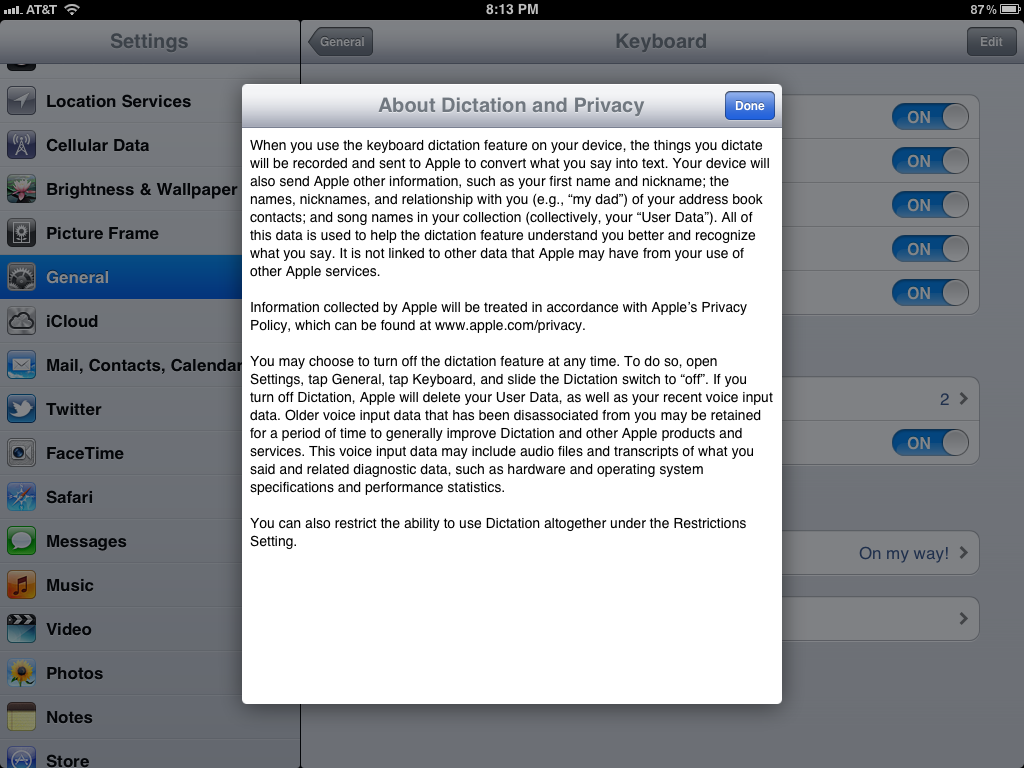
Ever sense we have seen iOS 5.1 there hasn’t been anything noticeable. Until know. In the settings for the iPad in the newest 5.1 BETA we see dictation information for the iPad. This is the siri dictation about. Kind of interesting. Could siri be coming to the iPad 2 in 5.1? Or launch with the iPad 3? We won’t know. All of the above is siri features. However there is no way to activate the dictation within the OS itself so we will have to wait and see. Hmmm.

The iPhone SJ Concept is AMAZING

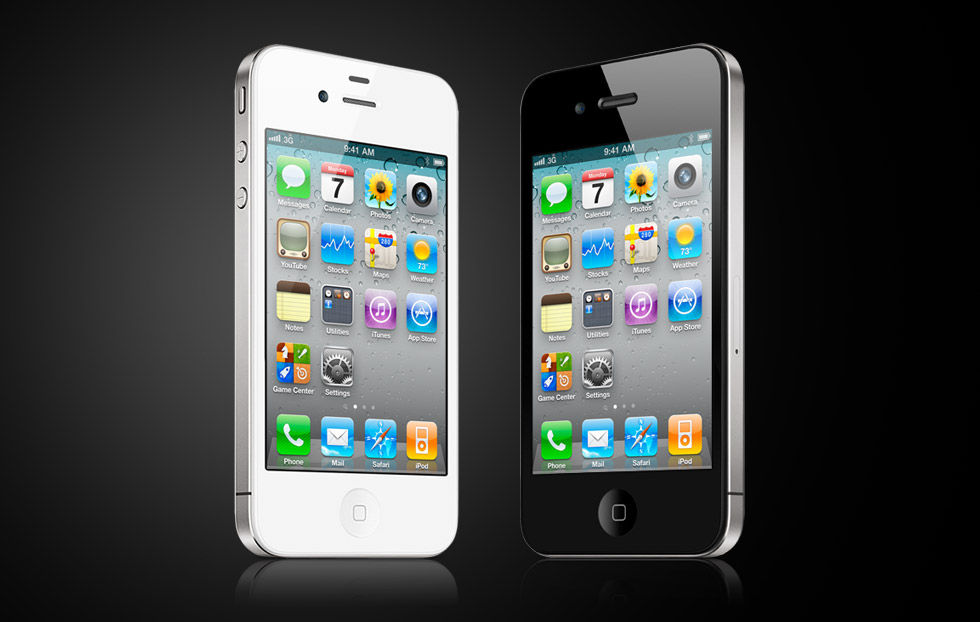
Today I found this. It’s the iPhone SJ concept. It comes with the rumored 10 megapixel camera and the A6 dual core processor which I had said won’t happen this year. The iPhone 4S is the same design as the old iPhone 4 making us all want something new. Hopefully this is close to something we might get. I love this concept. It looks great. This design calls for a full front glass capactive screen, and a polycarbonate body.  Remember the next iPhone is likely to be called the iPhone 5. Here are the rest of the images for this concept.

[ADR Studios]

What to do with that new iPhone/iPod you just got

So you got a new iPhone or iPod for the holidays! Great! By now you should have had time to play around with it and you want to know what you should do next! Well here is what you should do in terms of apps,music,photos and more. So let’s get started.

Apps

Here are some of the Apps you should get for your iPhone or iPod Touch.

1. Facebook –

The king of the social networks. As horrible as this app is to some people I don’t find it that bad. Sometimes it will annoy me though. It is better than using the mobile site as you can’t upload all your holiday photos using the web page. [iTunes Link]

2. Twitter –

Twitter is built into iOS 5. You can tweet out website links and photos from inside our native safari or photos app on the device. To do all of this though you need to get the official twitter app. It is a little hurtful on the eyes but the app itself is good and hey it’s free! [iTunes Link]

3. Tiny Wings –

This is one of my favorite iOS games of all times. Tiny wings. You are a bird who has always dreamed of flying. Unfortunately you have tiny wings. Good thing is the world is full of hills. You try and make it through islands by getting air of the hills. It is extremely addicting and I love it and I hope you will to. [$1 – iTunes Link]

Music

One of the great thing about having an iPhone and an iPod is you have music wherever you go. If you don’t have any though then well you are going to be missing out. One of the things every iPhone and iPod can do is download music,tv,and movies straight from the iTunes store along with previous purchases of TV and music. All you need to do is launch the iTunes store, go into the purchases, music, then hit the download all. This will take a while and unless you have iTunes match your mp3’s will NOT download. So to save time you might just want to plug your iPhone/iPod into iTunes and then have all your music.

Photos

The iPhone and the iPod are great way’s to show off your photos. All you need to do is hit the Photo tab when you connect your iDevice to iTunes and check the “Sync Photo’s” checkbox and you are done! Congrats!

iCloud

iCloud iOS 5’s biggest possibly best feature. It is amazing. It alows you to keep Photo’s, Calanders, Contacts, and more synced accross all your devices. Mac or PC. All you need to do is have an Apple ID. Once you do then you can navigate to Settings>iCloud. If you are not signed in go ahead and then select the services you want! Photo Stream stores 30 days or 1,000 new photos. You can clear ALL of them from iCloud.com and soon individually with iOS 5.1.

Play Around!

There are many great amazing things that the iPhone and the iPod touch have to offer and this is just a quick little guide to get you started. I will be posting some fun tips and tricks for all you new iPhone users and some good ones for older iPhone users. If you have a tip or a trick feel free to comment or send me a message on twitter (@matthewjagiela). Enjoy your night and I hope all of you had a wonderful day.
Apple pushing to Introduce the iPad 3 on February 24th, Steve Jobs’ Birthday

FocusTaiwan reports that Apple is pushing it’s manufacturing partners to a deadline trying to make it so the iPad 3 would be announced on February 24th or Steve Jobs’ Birthday.

A local Chinese-language newspaper reported Friday that iPad3 might be launched on Feb. 24 to mark the anniversary of the birth of Apple’s late co-founder Steve Jobs.

Citing sources close to Taiwanese makers in the iPad3 supply chain, the Economic Daily News said the gadget could be launched in mid-first quarter of next year or by the end of next March.

This would be a wonderful thing if it actually happens. Let’s hope it does.

[FocusTaiwan, 9to5mac]

Apple preparing a 7inch iPad?

Every year sense we saw the iPad there has been crazy rumors of Apple making a 7 inch iPad so much Steve himself said the company would never make one! There is still rumors of them happening and here is the newest one: A 7inch iPad 3. Yes. Just like the 7 inch iPad 2 there is now a 7 inch iPad 3 rumor. There has never been a reason for Apple to even consider making an iPad that is 7 inches… Until now. The kindle fire Amazons “best selling product ever launched” is the 7 inches and has some steam going because it is allowed to be sold for such a low price because it’s smaller. So this is one reason they could be going for it. A very low budget iPad for people who just need something that small. We have herd of Apple ordering 7 inch iPad screens. However I don’t think we will see this. At least this year. I think this year they are going to test it. To see if they actually wanna put it out there. Above and right below is the 7 inch iPad 2 render vs the iPad 2 10 inch image.

So what do you think? 7 inch or not?