Apple today gave mac developers a little love by giving them OS X 10.8.2. The update focuses on Facebook integration and more of what I was hoping for Messages integration across devices. This update will allow you to have iMessages that go to your phone number to go to your Mac too. All you need to do is sign into an iCloud account and if your phone number is registered with it then you are good all though I had to switch it on in the settings. So go get downloading if you haven’t.
Facebook is one of the worlds largest social networks and has the most downloaded iOS app of all time. The app has been slow and unusable and it might come to an end with the newest update. Facebook ditched HTML 5 in it’s iOS app and the result of that is a fast and improved app.
Remember when Facebook Bought Instagram? Many users ditched and some stayed. Actually I have been getting into it a little more because I like how I can share to all the major networks at once (facebook and Twitter). Facebook has today introduced it’s own instagram app called “Facebook Camera” and to be honest… It’s actually not as bad as you would expect. So let’s go in depth into the newest app from the Social Network giant!
First thing’s first is there really is no reason for this app. At all. They could have easily put all the features inside the Facebook App itself, and I don’t see why they don’t! Actually ALL of the Facebook apps could be integrated into 1 app! With that being set in let’s look at the good the bad and the ugly.
The Good
There is a lot of thing’s I like about this app. However some of it should have been basic for the Facebook app in general and not need a separate app. Actually again all of the apps should just be integrated.
I really like the ability to upload multiple photos. I am not a big photo uploader to facebook but when I go on vacation and snap photos I want to upload them in a bunch not upload 1 at a time! Thankfully they have solved this problem! All you need to do is view a photo and press the little checkmark in the top right! Do that for multiple photos and then press the Compose button on the bottom right. You can also bring up the composer and press the plus for individual ones.
I will be completely honest in this. The effects are not nearly as good as the ones found in Instagram. However they will do. You have to add the effects individually for every photo you want to upload which makes sense. However you can not use blur effects or brightness effects but they might be saving this for another update.
As you can see the effects are similar to that of instagram minus the blur effects and brightness. As you can see from the side by side. Honestly thats the only good thing’s that I can think of right now.
The Bad
There is a ton of thing’s wrong with this app. Well not wrong just annoying little which will probably be fixed in a future generation of this app. One of the thing’s that annoys me the most is that you cannot choose what Album your photo’s will go to. It makes sense to allow people to upload photo’s to an album of there choosing to some but not to the maker(s) of this App. All your photo’s will upload to the Mobile Uploads section of your facebook.
Again it doesn’t make sense to me at all why they didn’t integrate this into the main facebook App which is one of the bad. Here is a note to developers: Not every feature has to have a separate app!
Blur effects are missing from the app and the effects don’t seem to really… Stand out as much as they did with instagram. Also there isn’t borders for it yet. If you think it is because of the sunlight in the image then check this one out.
The Smaller one is the instagram. I don’t know why it is so small. Sorry.
Conclusion
The app is fine. It works if you want it to. However it will never be able to replace the full instagram because it only shares to facebook. Right now it doesn’t even come close because it is missing some of the effects in instagram and basic functions that are in the Facebook mobile app. I don’t see this as an instagram killer… Only a want to be. I have included a video for you to watch to know more. However Facebook has a lot to learn from Instagram… They should use it to their advantage that they own it…
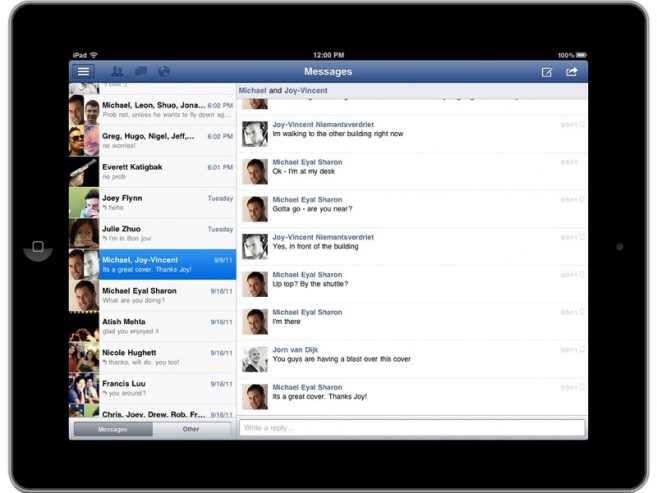
After about a year and a half of not having an official iPad app and finding the preview app for Facebook the wait is over. We get our iPad Facebook app! Yes it hasn’t gone live yet but it will soon and you can get it from this link! http://facebook.com/mobile/ipad go check it out!
Mashable is reporting that Facebook’s long awaited iPad app will be announced at Apple’s upcoming event which is rumored to be october 4th. Also Facebook is reportedly revamping the iPhone app to be faster and usable and a new HTML 5 version of the mobile site. The iPad app was leaked earlier this Summer with it being in the iPhone 3.4 app and then being blocked by Facebook itself. According from a former Facebook engineer Jeff Verkoeyen says the app is ready, and Facebook is waiting to release it. The companies don’t have the best history but launching a revamped iPhone and the iPad app alongside iOS 5 and the new iPhone’s seems logical. So what is the rumored stuff for October 4th? The Next iPhone(s),iOS 5, and if the reports are true a Facebook iPad App. October will be an exciting month!
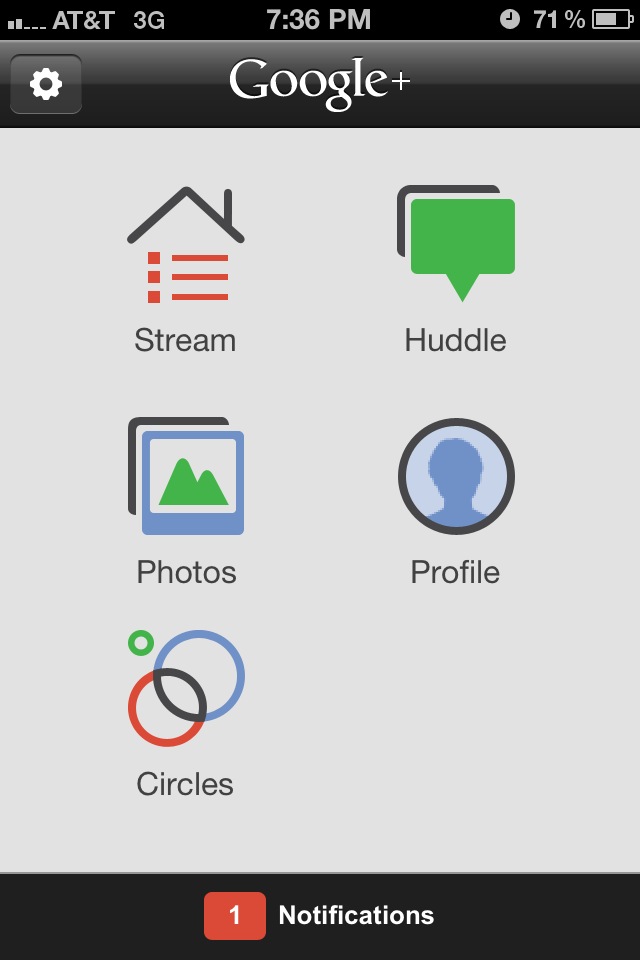
In light of Google+ going public yesterday I made an account and I downloaded the iPhone app to go along with this and here is the short review. It is better than Facebook and it has a WORKING iPhone app. For the longer review of the service and the App hit the break!!
If you use the FaceBook for iPhone app a lot like me you will want to stay away from the new update for the FaceBook for iPhone app. Now you see Facebook for iPhone has a reputation for being one of the buggiest apps in the app store… This update takes it to a new level. You see they say bug fixes but it adds so many more the app can actually crash your phone. I haven’t been able to use it for more than a few seconds before it either freezes or crashes. Now if you are lucky you might be able to downgrade to the old USABLE version. It might be buggy but at least it works and to find out how to do this follow me after the break!














 uApps
uApps 