What I would like to see in iOS 6

WWDC is tomorrow morning for some and the afternoon for others. I am going to try and live blog the event tomorrow as best I can but before we go into all the rumors of what we are going to see I want to take some time and focus on the main thing I am excited about and that is iOS 6. A few days ago I said what I wanted to see from the jailbreak onto the actual operating system but this is going to be what I actually think is going to happen.

Revamped home screen

Let’s be honest the home screen of the iPhone is BORING! It has remained almost unchanged sense 2007. Actually I think the only thing that has changed is folders and being able to move apps around. I think it is time for widgets or themes. Not enough to kill the battery but maybe to see a new tweet, facebook, weather, news update, whatever. Or to customize your iOS device exactly how you want it. I think this is going to be a big thing for iOS 6.

Siri for iPad

I posted this a few days ago I posted a rumor from 9to5mac and I honestly think it will happen. It seems like a right move as the new iPad has dictation and just needs the functionality. One of the reasons I don’t think they released this with the new iPad is because it is still in beta for the iPhone and I don’t think they had how it would look done yet. I do think we will see this tomorrow.

Maps with find my friends built in

Apple’s own 3D maps are going to be in the native maps application instead of google’s which is almost confirmed now, however what I want to see is the option for find my friends to be built right into the application so maybe more people would start using it.


Better Widgets

I think one thing iOS needs is widgets. I said in the revamped home screen something to tweet or post to facebook and see what is happening around you. We have 2 widgets now Stocks and Maps and they are BORING. Come on Apple give us some widgets!

Missing Apps For iPad

When the iPad was released I had noticed there were some apps missing. Today the weather,stocks, and clock app are still missing from the iPad. All of these could be added with the addition of widgets in iOS or there could be an App that could combine them all into one. Have a 3-4 grid (add something) and have weather in a corner, stocks in a corner, etc.

Quick Reply

I said this in my jailbreak post that the only reason I keep going back to the altered world of iPhones is because I hate getting pulled out of my apps to answer texts. We have the best Mobile OS of any phone or tablet out there it is time to let us reply from in apps.

Better multitasking

I don’t like the way iOS handles multitasking. Well I don’t like the grid. I would like to see a view where you can see a little preview of what is going on in every app running. Sort of like webOS. Make it happen.
Apple to release iOS 6 Beta Build 10A5316K Tomorrow

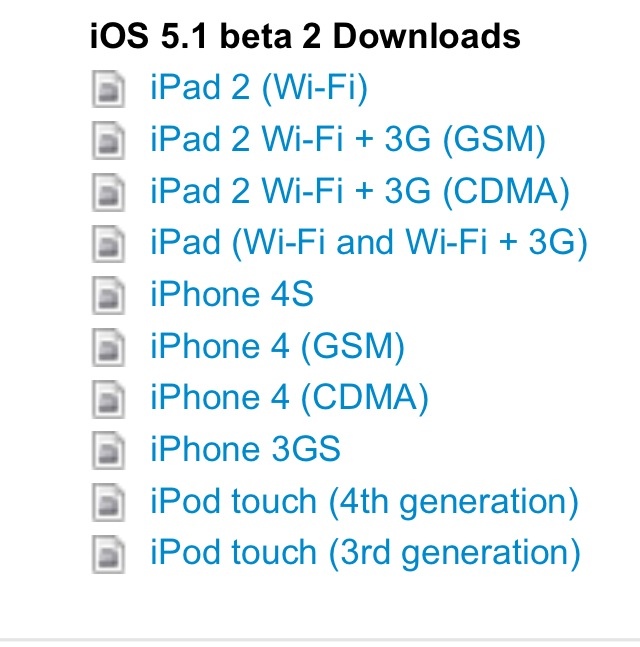
A post from the staff of Chinese forum weiPhone.com claims to share a host of official download links to Apple’s new iOS 6 software that is going to be announced tomorrow.

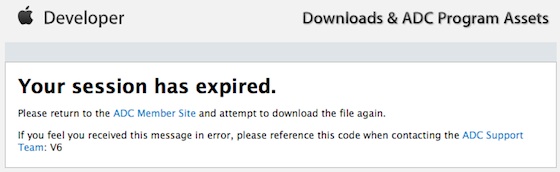
Accuracy of this is not really known. Whenever you click a link you will get to the developer “Your Session has expired” like this.

When iOS 5 was close to being announced there was a similar list of links which I don’t have.

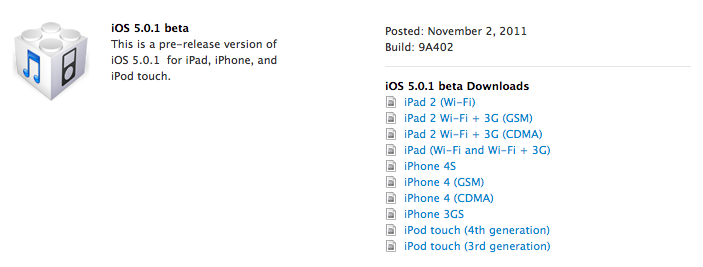
If the links are accurate then the 1st generation iPad and 3rd Generation iPod touch are dropped, however the iPhone 3Gs is still supported which to me makes no sense whatsoever as the iPhone 3Gs has worse specs than both of those devices. Here is the fill list of links:

Third-generation iPad
– Consumer: Wi-FiWi-Fi + Cellular (GSM)WiFi + Cellular (CDMA)
– Enterprise: Wi-FiWiFi + Cellular (GSM)WiFi + Cellular (CDMA)

iPad 2
– Consumer: Wi-FiWiFi + 3G (GSM)WiFi + 3G (CDMA)Revised Wi-Fi
– Enterprise: Wi-FiWiFi + 3G (GSM)WiFi + 3G (CDMA)Revised Wi-Fi

iPhone
– Consumer: 4S4 (GSM)4 (CDMA)3GS
– Enterprise: 4S4 (GSM)4 (CDMA)3GS

iPod touch
– Consumer: 4th Generation
– Enterprise: 4th Generation

Apple TV
– Consumer: 2nd Generation3rd Generation

Other iOS
– iOS 6 Beta Guide (PDF)
– Installing Apple TV Software (PDF)

Safari 6
– Consumer: – Safari 6 Developer Preview for LionUninstaller

There is no way to tell if these links are accurate until tomorrow morning. I expect there would also be a new build of OSX Mountain Lion or even the full public release date to be t0morrow. We will see. I will have some new posts coming for iOS and more of the event expectations later.

How to do an untethered jailbreak on iOS 5.0.1 (up to A4)[UPDATE:New Download Links!]

Being a technical wizard at my school I am always asked how to jailbreak devices and the benefits of it. So I am going to start adding some jailbreaking goodness to the site. Anyways today I am going to walk you through jailbreaking your iOS 5.0.1 device. There will be a video for you to watch on how to do it below and remember this can be done for Mac and PC users. So let’s get started.

1. Download the newest version of redsn0w UPDATE: (9.10b5) (mac) (windows) and iOS 5.0.1.
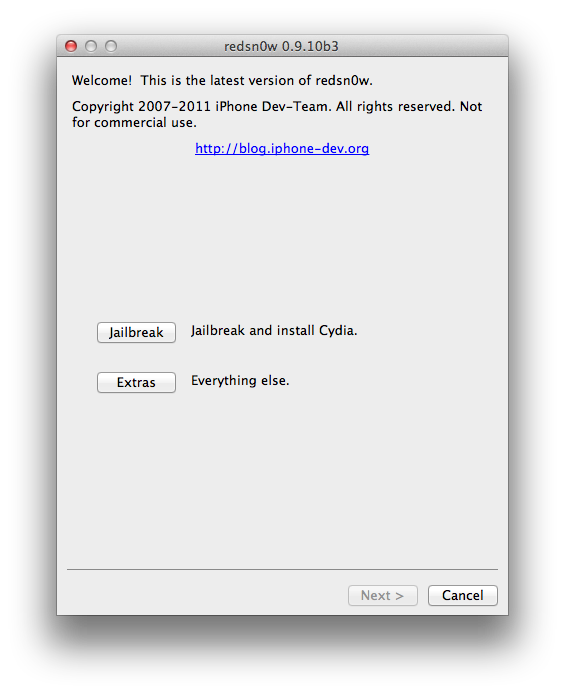
2. Open up redsn0w and you will be welcomed by the following screen (click to enlarge):

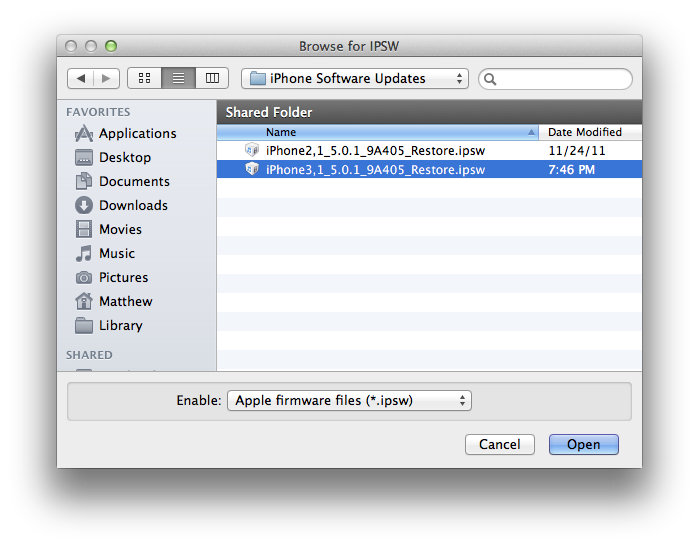
3. From the welcome screen hit extras->select ISPW and find your iOS 5.0.1 download.

4. You will see a prompt saying that this will be used for the rest of the session. Select ok. From the screen hit back to get to the main screen from number 2. Then hit jailbreak

5. Just select jailbreak for now and hit next. (Multitasking gestures don’t work on the iPhone and should work on the iPad 1 with iOS 5.0.1)

6. Follow the on screen instructions and wait for reboot.

7.To get a reboot you will need to press back to get to the main screen when the Apple Logo appears on your phone. From there hit extras and then boot tethered. Follow the instructions and you should be fine. If this was done correctly you should see your iDevice booting with a pineapple

8. Enter cydia. Hit developer and then go to the search. From there search Corona. In the drop down menu it should say Corona 5.0.1 untethered. Select that and then install. You know have a fully jailbroken phone! If you did not get any of this watch the tutorial below!

Congrats!

Apple releases iTunes 10.5.1 iTunes Match Launch today?

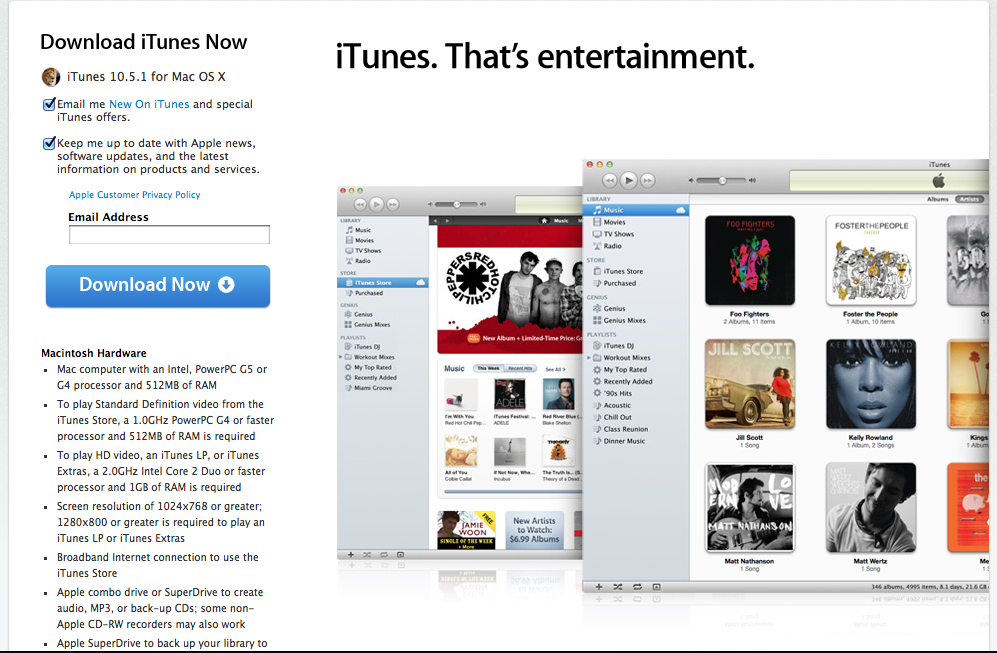
Today Apple has released iTunes 10.5.1  (Download link) to everyone. Yesterday Apple cleared out the developers iTunes match for what is the 4th time for developers and it seems today could be the day where everyone gets the service. iTunes match is the service for $25 a year allowing music to be stored in iCloud that isn’t downloaded from the iTunes store and through Music Files and CD’s (if anyone still uses CD’s) and pushes them to all your iCloud enabled devices. So will you use this service or is it just another thing to say “is useful but not for me”?

Apple releases iOS 4.0.1 beta to developers. Hopes to fix battery problems

Apple today had announced there was some battery bug problems and shortly after there is a new beta out for developers to download that will hopefully fix the poor battery problems! Also included in this update is multitouch gestures for original iPad users which I am sure some will be very happy about! Also iCloud document syncing errors so maybe we can share with Mac OS X now? So developers get downloading!

[Apple Developer Portal]

Airport utility is coming to an iPhone and iPad soon

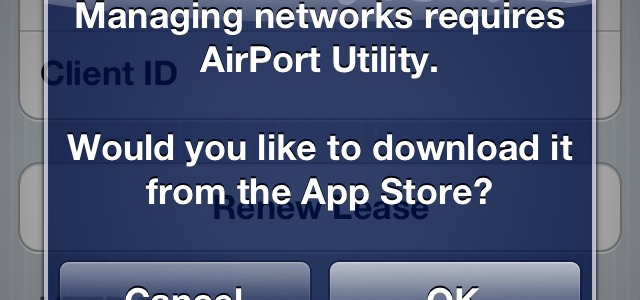
Well Apple is really making it so you do not need a computer to do really anything. Not even to set up and manage your wifi connection anymore. That’s right that little message is in the GM seed of iOS 5. All you need to do if you have the GM installed is go to settings>wifi>the arrow next to your network and then at the bottom hit manage network and then you will see the message. If you say ok then it will try to take you to the App but will fail saying the content is not available. So for everyone who justs wants an iPad or does everything from your iPhone you don’t need a computer for really anything now. Seems cool! Ill post a link whenever we get the app.

iOS 5 to be launched October 15th

20111004-231015.jpg

Today we got the date for the final release date for the iOS 5 public release and iCloud launch which both is October 5th. Now along with iOS 5 and iCloud we get some extras. Apple demoed 2 new apps coming to the app store for iOS 5. These apps are cards and pages and I will tell you about them both.
Cards
Cards is basically an app that allows you to make custom real not digital greeting cards. Hallmark just got burned. You can make them on an iOS device running iOS 5 and send them from the device! Remember this is for real cards it costs about $3 and you will get a notification when the card has shipped! The app itself is free. Sounds good for some people who like the old fashioned way of saying hello!
Find my friends
This is really cool and also will be a free download from the App store October 12th. It will allow you to see all the friends you have added and you can see your location along its your friends location on the map! You can see how that would be useful in the post below. You can also have it so you stop sharing your location at the end of the day which would be great as well. So wha do you think of the new apps for iOS and iOS 5? Also my review will be updated when I download the apps and try them out!

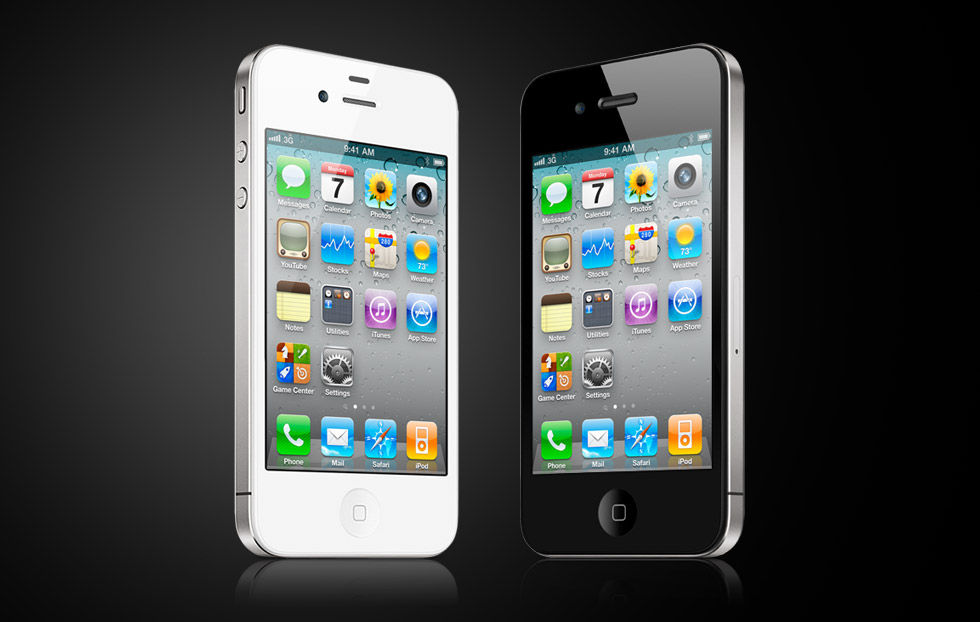
Why you shouldn’t be depressed if there is only an iPhone 4s Tomorrow

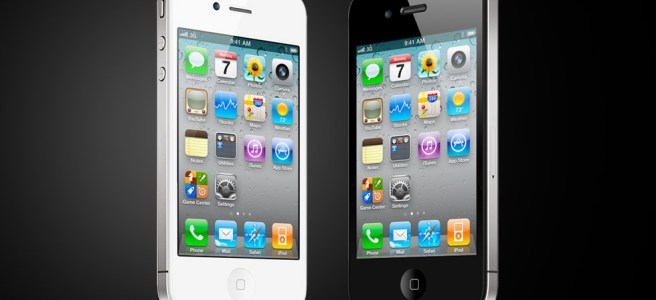
As the current rumor has it there will only be one iPhone tomorrow which is the iPhone 4s. The iPhone 4 design with some better hardware inside it. Some fanboys are calling this crazy but if you think about it it makes some sense and I’ll explain why.

iOS

Apple doesn’t think that the hardware isn’t the most important thing for a phone to sell well. Well they do but they think the operating system iOS is the more important reason why the phone sells well. Why else would the spend so much time on it? Apple thinks that iOS drives the sales of the iPhone the iPad and the iPod touch. So a new design wouldn’t be the top priority for the next iPhone making the hardware a little better but making iOS work better with the updated hardware would be the top priority.

The iPhone 4 design is great

Alright some people are going to call me out as a complete Apple fanboy but that’s fine. I think that the iPhone 4 design is great. The best design I have seen and trust me I have used and seen a TON of phones. The iPhone 4 design makes me just say “Wow this is a beautiful design.” The only way I can see the design of the current iPhone being improved is by adding an aluminum back like they had with the original iPhone which I have been dying to get on a newer phone.

The design will work with all your iPhone 4 cases

One of the great things about having the same iPhone 4 design with the next generation is all your accessories and cases will work with it! YOU WILL SAVE MONEY!

Remember the 3Gs?

Apple did the same thing with the 3Gs keeping the design from the iPhone 3G around for another year and it did great! It is still one of the best selling phones of all time! So even though all you fanboys want the iPhone 5 and a new design don’t be to bummed if you don’t get it.