Google+ Updates with Hangouts, Messenger, More [Apps]

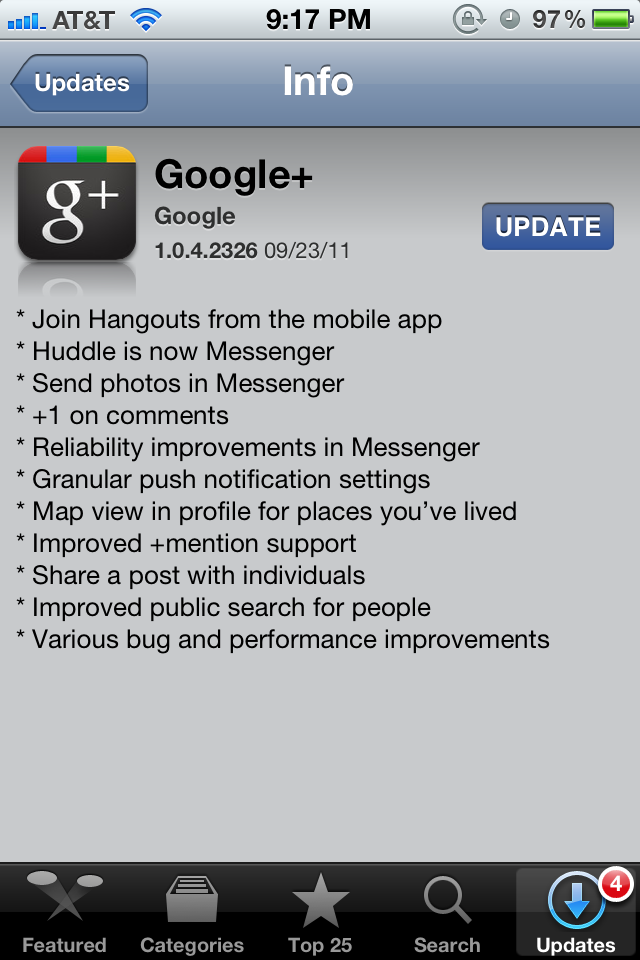
Well after I reviewed Google+ for iPhone and the service basically in general they pushed an update to the iPhone app to reflect some changes on the site itself and some things that some people will be happy too. Here is the full change log!

  • Join hangouts from the mobile app
  • Huddle is now Messenger
  • Send photos in Messenger
  • +1 on comments
  • Reliability improvements in Messenger
  • Granular push notification settings
  • Map view in profile for places you’ve lived
  • improved +mention support
  • Share a post with individuals
  • Improved public search for people
  • Various bug and performance improvements

Now just to be clear you can only join hangouts you can not make one… At least not yet and you need an iPhone 4, an iPod touch 4, or an iPad 2 to join hangouts I’m sure because you need to use the front camera. The app seems to be stable which is more than I can say for the Facebook app.

[iTunes Link – Free]

Sprint iPad 2 ready to go with iPhone 5?

Well here is something unexpected. It seems that Apple has ready a Sprint 3G iPad 2 that could launch alongside a Sprint iPhone 5.

Apple and Sprint have completed work on a version of the iPad for Sprint’s data network. This Sprint compatible iPad appears to be ready for public consumption and will join the family of GSM (AT&T) and Verizon capable Apple tablets before the holidays. With Apple soon launching a Sprint version of the iPhone – which we independently confirmed in June – we suspect that the Sprint iPad will come alongside or soon after that release.

This seems like a great way to expand the iPad to even more users and along with an iPhone 5 is a great idea. So will you pick up an iPad 2 on Sprint if it is a reality.

iMessage to be supported in MAC OS X Lions iChat?

Well here is something that might be unexpected to some but not me. Mac Rumors has found some hidden iChat code showing that iMessage a service that allows iPods, iPhones, and iPads to communicate over the web to the messages app will be coming to the Mac as well in the form of iChat.

@interface IMMessage : NSObject
{
IMHandle *_sender;
IMHandle *_subject;
NSAttributedString *_text;
NSString *_plainBody;
NSDate *_time;
NSDate *_timeDelivered;
NSDate *_timeRead;

The code you see above is the framework in iChat. The code shows the “time delivered” and “time read” which is in the current iMessage. Honestly I think this would be a great idea as you can have all your messages well now everywhere granted it isn’t an SMS and is an iMessage and well everyone I know uses an iPod, iPhone, iPad, or a Mac or all of those so this would be a great idea and I can’t wait to see it become a reality. It may even come with iOS 5 public release which is rumored to be October 10th. iMessage is still in developer preview and has not been released to the public but it does work very well for me.

[ VIA Macrumors]

Developers Can you Subscribe to iTunes Match?


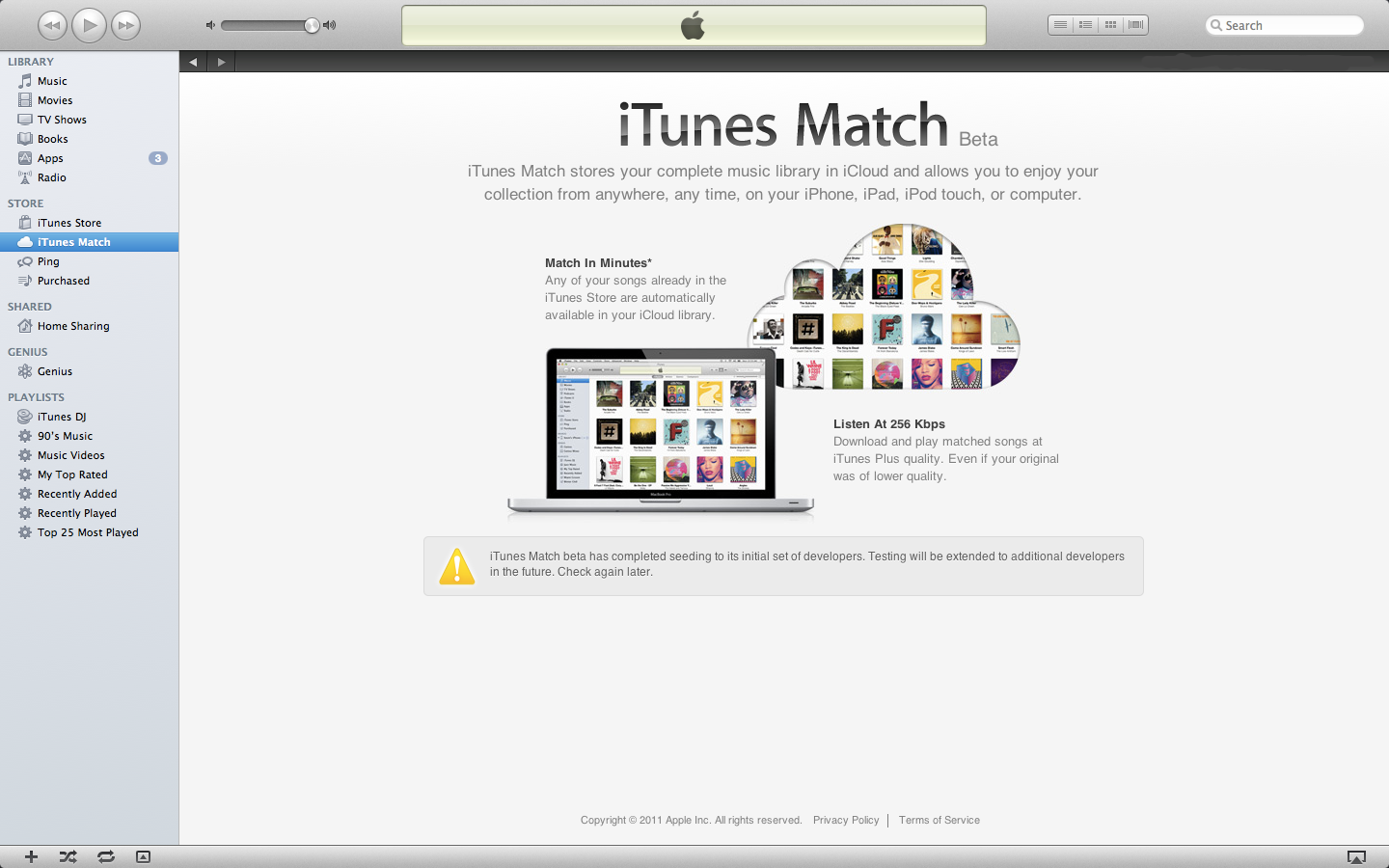
Apple today has extended the number of Developers to subscribe to iTunes match the service which allows people to store imported MP3’s on iCloud and push them to all your devices. Now currently you have to be a developer to take part of this service and you have to currently be an Apple developer with iTunes 10.5 beta 8. Just hit the iTunes match and there will be a subscribe button. Yes you do have to pay the $25 a year when you subscribe and this is a United States only service. Let me know how it is in the comments or on twitter (@matthewjagiela)!

Apple Releases iTunes 10.5 beta 8 iWork beta 3 for developers

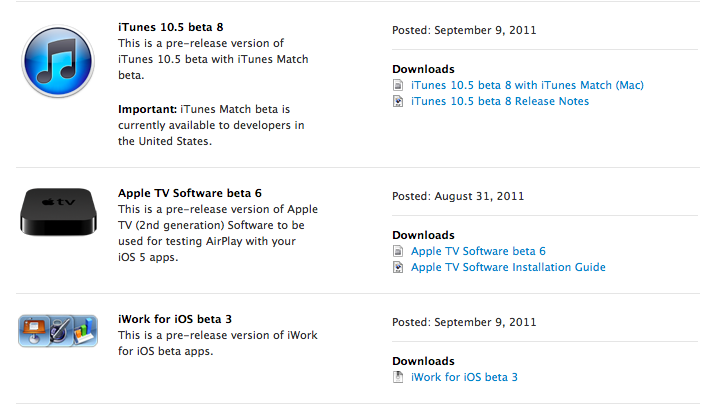
Today on this fine Friday Apple has blessed all of us developers with iTunes 10.5 beta 8 which will allow all of us developers to use iTunes Match the service that allows your imported mp3’s to iCloud and downloads them on all devices. Also Apple has released iWork for iOS beta 3 allowing you to take control of automatically uploading documents to iCloud and accessing them on iCloud.com or vise versa. Release notes after the break!

Continue reading “Apple Releases iTunes 10.5 beta 8 iWork beta 3 for developers”

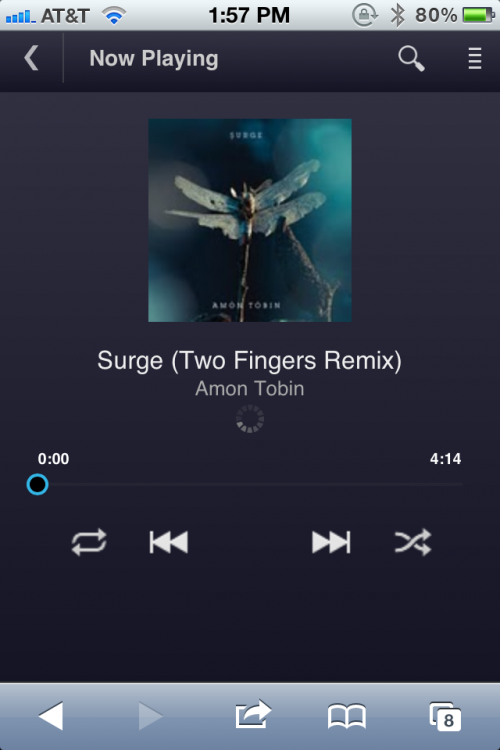
Have Google Music? Great they just launched a new Web App For iOS!

Today Google has released a new web app for all iOS devices for their music streaming service or locker as some people like to call it. To get to the web app on your iOS device go to music.google.com and you will see the web app.  Please know that it is streaming only you cannot browse music catalogs, or upload music into the app.

Google lets you store 25MB of music in your device cache. Content is streamed from your uploaded music collection. When you open the app you can choose what you want to play and then you are taken to something like the window above.

Google Music is currently an invite service (like everything else Google Does) and is currently free for beta testers.

How to downgrade FaceBook for iPhone [Tips]

If you use the FaceBook for iPhone app a lot like me you will want to stay away from the new update for the FaceBook for iPhone app. Now you see Facebook for iPhone has a reputation for being one of the buggiest apps in the app store… This update takes it to a new level. You see they say bug fixes but it adds so many more the app can actually crash your phone. I haven’t been able to use it for more than a few seconds before it either freezes or crashes. Now if you are lucky you might be able to downgrade to the old USABLE version. It might be buggy but at least it works and to find out how to do this follow me after the break!

Continue reading “How to downgrade FaceBook for iPhone [Tips]”

Fun Apps: Doodle OMG [Apps]

For what I do and where I am (a high school) I am always getting asked “Matt what are the best new and enjoyable apps out there?” Well I am going to start making a post every week around the end of the week but today is special. This weeks app is Doodle OMG. Now Doodle OMG is a game where you are a stick figure trying to dodge ninja stars and boulders (yes they do look like cookies but ask the developer and check the info they are boulders). It is a really fun game! Full in depth view after the break!
Continue reading “Fun Apps: Doodle OMG [Apps]”

How To Jailbreak iOS 5 beta 5 with redsn0w

Well it seems some people just can’t live without there jailbreak so I guess I am gonna make a post on how to do such a thing on iOS 5 beta 5 with redsn0w. There is a few things you will need.NOTE: THIS IS A TETHERED JAILBREAK MEANING YOU WILL NEED TO BOOT YOUR DEVICE WITH REDSN0W EVERY TIME. Check out how to jailbreak after the break!

Continue reading “How To Jailbreak iOS 5 beta 5 with redsn0w”