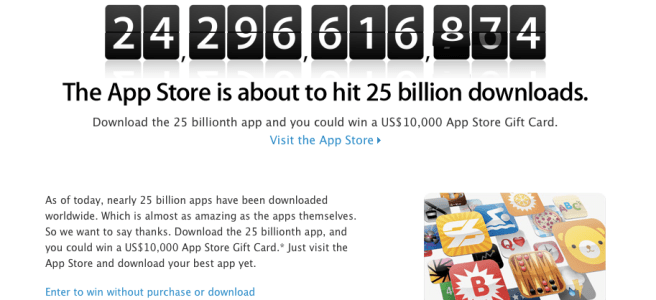
It has been a big week for Apple with the announcement of OS X Mountain Lion and now Apple has posted that it is about to hit 25 BILLION App Downloads from the App store. Thats pretty good for about 4 years! You can try and win the contest in 2 ways. One you can try to download the 25 Billionth app or you could follow this link and input all the information to get selected. Please note to enter you have to be at least 13 to enter and you can only enter 25 times PER DAY. The main prize is a $10,000 gift card you can use on the iTunes store. So what are you waiting for get downloading and entering!
Today Apple gave the world a sneak peak of OS X Mountain Lion bringing some of iOS’s most popular features to the mac in the same sense they did with Lion. It seems that it will be great when we get our hands on it but unless your a developer then you have to wait till the summer to get it! Here is what is mainly new
Game Center. Now challenge your friends using iPods iPads and iPhones and Macs.
Messages (beta download link here) Use iMessage on your mac. Replaces iChat but has all the same features.
Airplay Mirroring. Using your Apple TV now you can Mirror your mac on your TV like you can with your iPhone 4s and iPad.
Notification Center. Shows Notifications like iOS for apps that support it.
Reminders. This is what you expect.
Notes. This is what you expect also.
If you want to view the video and main things going on then be my guest.
According to popular rumor site All Things D we will be able to see the iPad 3 the first week of March for the announcement of the iPad 3 that we are all eager to see. Here is what they actually posted.
Sources say the company has chosen the first week in March to debut the successor to the iPad 2 and will do so at one of its trademark special events. The event will be held in San Francisco, presumably at the Yerba Buena Center for the Arts, Apple’s preferred location for big announcements like these. No word yet on a street date for the iPad 3 (assuming that’s what it’s called), though my guess is retail availability will follow roughly the same schedule as that of the iPad 2: available for purchase a week or so after the event.
So there you have it. This seems accurate. Either way I can’t wait to get my hands on one.
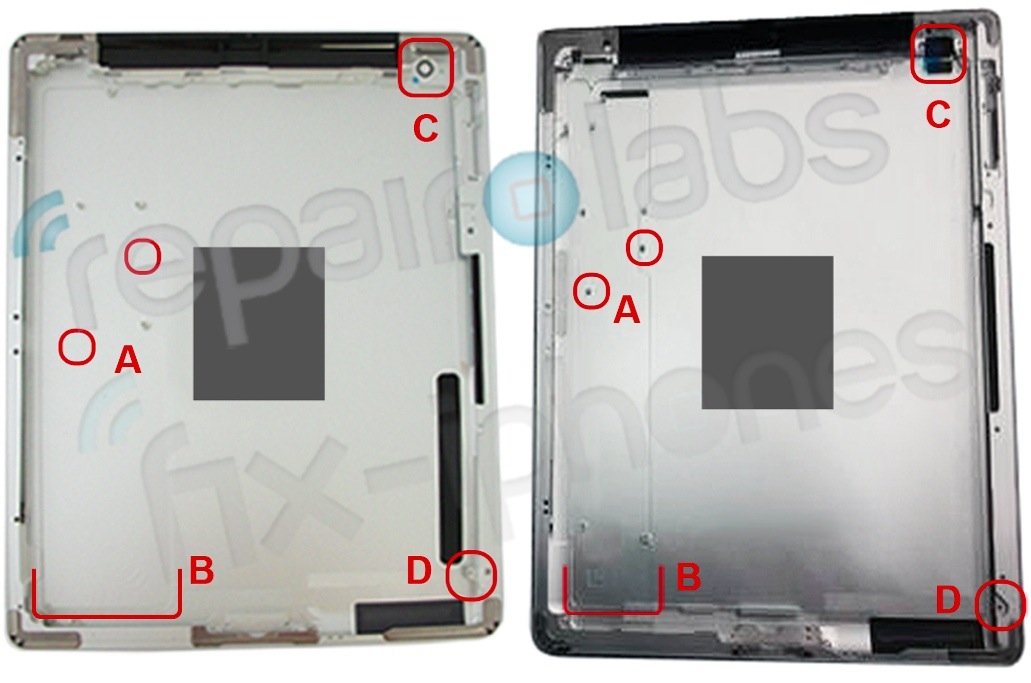
It seems we are very close to an Apple iPad 3 event as the back casing of the device has emerged. Or so we think is the back casing. The back seems to have the same design but with a larger camera hole. The left is the iPad 2 and the right is the iPad 3 reported casing. Here is what each number stands for.
</A. You can see here that the mounts for the logic board are very different, which means the logic board shape will be different allowing for . . . .
B. More battery. The width of where the logic board sits on the iPad 2 appears much larger than that of the iPad 3. We have long heard that the iPad 3 was going to provide longer battery life, and this back housing seems to support that. [Ed: Actually, this could be to compensate for the additional power draw of the screen and possibly a faster processor]
C. The camera is different. It is hard to make a judgment just by looking at the casing, but what we can expect is a different camera on the iPad 3 than what we had on the 2.
D. LCD will be different than what we have had before. Whether or not it will be the super screen we have seen reported will have to wait. But the different mounting does mean that the LCD has been redesigned at the very least.
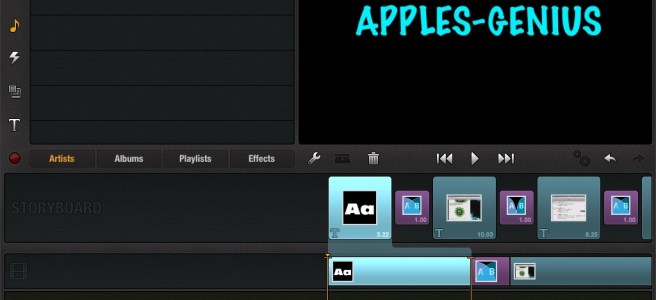
Instead of doing a giant post on an App Review I decided to make a video of it on what I like and how to use the app! There is even stuff I don’t like! Overall though Avid studio for version 1.o works very well for video editing on the go! It is so worth the $5.
Superbowl Sunday is great. Unless you aren’t anywhere near a TV. That changes today. I am going to tell you how to watch the Super Bowl live using either your iPhone, your iPad, or even your mac!
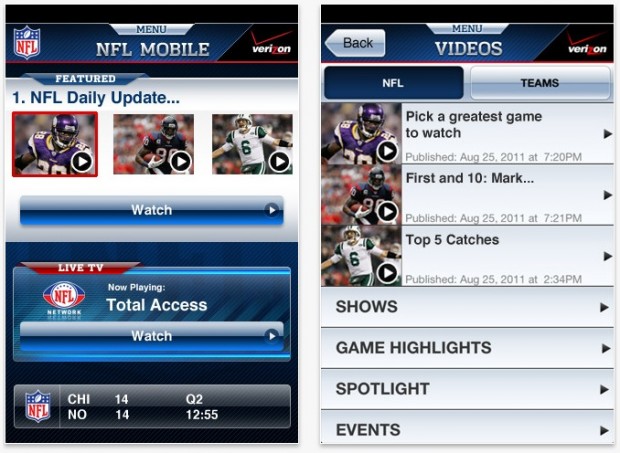
NFL Live for Verizon iPhone
If you have a Verizon iPhone you are lucky. You van get the NFL Live app for your iPhone and watch the game live. The App is universal but I don’t know if you can stream it right to your iPad so you might not want to rely on this for your iPad.
This is probably a good free version to use! All you have to do is launch safari and go to the site which can be found here. Then just watch the game! This can be done from your Mac,iPhone, iPod Touch, and iPad!
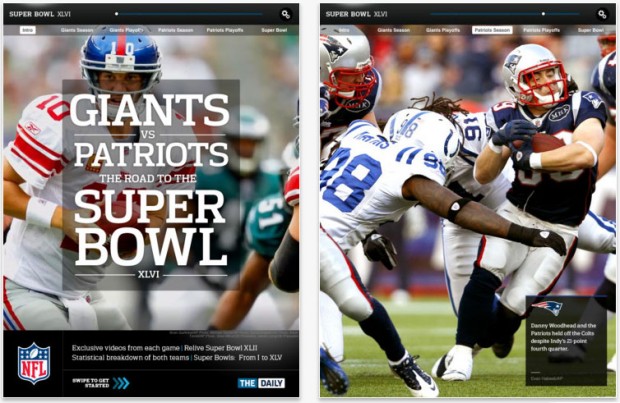
This one isn’t free but it gets the job done and I am guessing very well too. The app will bring you how the Patriots and The Giants made it to the super bowl, stadium shots, interviews and of course the live game. If you wanna snag this app go head!
A little over a month ago I made a story speculating on the iPad 3. Sense then I have gotten some more ideas what could happen, what I want to happen, and when the launch date could be. So lets get started.
Announcement
This has and always be a guess. We have herd reports that the iPad has gone into production. Also there is reports of a “strange” event this month. Many sites have confirmed this is what they think will happen. I think this is true. I think later this month is the best bet to when we are going to see the device.
Launch
I am going to stick with my original guess and say the iPad 3 will probably launch sometime in March. This is because if the iPad was to be announced this month like the rest of the iPad’s then we would see the launch date probably be in the same time frame as all the other launches. So I would guess and say March. I could be wrong.
What I Want
There are a lot of things I want to see from the new iPad but some of these probably wont happen. This is just what I want to see.
LTE. There has been a lot of talk of this and I believe that the iPad will be the first Apple device to be able to handle LTE on both Verizon and AT&T. I think this would be a great thing as LTE is expanded around the U.S.
More storage. Storage has been a problem for people in the past. It seems there just isn’t enough. So why can’t we get more? We easily could. If Apple would use the 32 or 64GB for the starting low memory model and add higher GB models then we would be fine. They do it in the Macbook Air with 250Gb they can easily have 100 GB in the iPad.
New form factor. Something a little new. They were able to make a new form factor with the iPad to the iPad 2 so I would like to see that as a possible surprise.
New processor. The A5 does work well but they can make the iPad even better for all of us. A quad core would be very nice. It would make apps run perfectly safari even faster and be able to handle even more than the iPad can already.
Siri enough said.
Retina Display. This would be great. Taking the already great iPad HD screen to an even better. Videos in great quality. Photos would look incredible.
What Will Probably Be On The iPad
LTE. I am going to say this will happen only because I know it will. With many people wanting LTE with there iPad this would allow some great things. Facetime over 4G for example. Taking limits off of the Wifi only apps. It would allow for a better user experience for the user. That is if you are willing to pay extra for the 4G model.
Retina Display. This is defiantly a given. We have seen supply managers saying they supplied the retina display. If that isn’t enough proof for you there has been Images at 2x pixels. Retina. It will happen.
Siri. This is a major major reason why the iPhone 4S sells. It may be the only reason the 4S sells. Siri is amazing. It does have a lot of things wrong with it though. Wrong results and not being able to connect to the server are just 2 of them. I think the new iPad 3 will have it according to settings we found in Apple’s 5.1 beta.
Form. The form will be the same but a little thicker to make up for the added retina display and other inside goodies.
For The Rest
The rest of my list. It won’t happen. As I see it Apple wont allow more memory because if they were to add it themselves they would have to raise the price of the iPad all together. If they allowed outside storage jail breaking would become easier, piracy could become easier and people could bypass apple easily.I think they will be waiting for a while on the processor as of right now the iPad doesn’t need a new one and there has been talk of a lot of errors with it. A new design completely is out because they wouldn’t have time to work on the above and make it all work with a new design.
iPad 2 and 7 Inch iPad
For the iPad 2 there is rumor that this could drop price and still sell like apple does with their iPhone models. I don’t think this would happen. Only because the iPad isn’t really cheap to make and they might lose money putting it at a lower price and keeping it in production. For a 7inch iPad I will go into this later. Anything is possible.
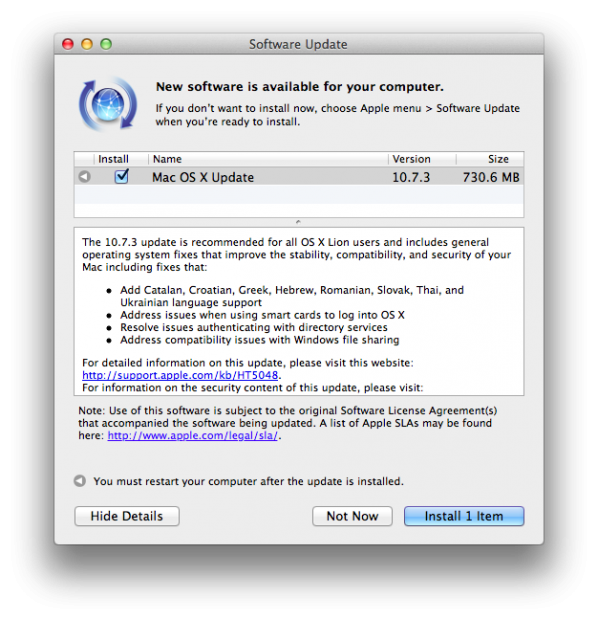
Apple today has released Mac OS X 10.7.3 to the public and here are all the changes
The 10.7.3 update is recommended for all OS X Lion users and includes general operating system fixes that improve the stability, compatibility, and security of your Mac including fixes that:
-Add Catalan, Croatian, Greek, Hebrew, Romanian, Slovak, Thai, and Ukrainian language support -Address issues when using smart cards to log into OS X -Resolve issues authenticating with directory services -Address compatibility issues with Windows file sharing
So once you have all of that the rest of the process is very easy here is what you do
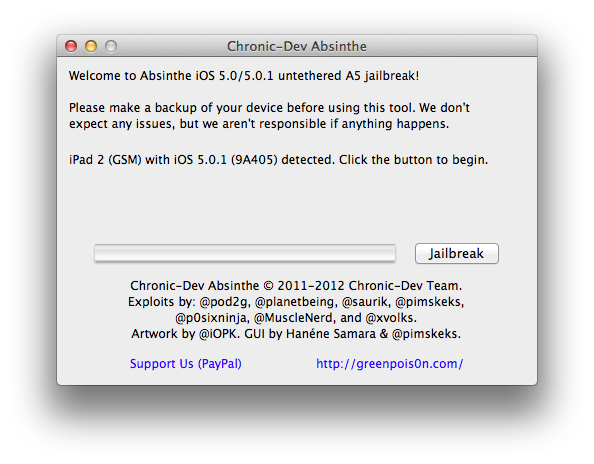
1. Open Absinthe and hit jailbreak.
Your device will go through all the steps it needs. Your iDevice will return to the lockscreen before the entire thing is done. Only unlock the device when Abisinthe tells you too.
2. From there you will need to enter the newly installed app and hit Jailbreak or Install cydia. If there is a database error don’t worry the servers are hammered I haven’t been able to get through yet either.
3. Done. You have your jailbroken iDevice with an A5 processor. I will update this post when I see the servers are working.
Being a technical wizard at my school I am always asked how to jailbreak devices and the benefits of it. So I am going to start adding some jailbreaking goodness to the site. Anyways today I am going to walk you through jailbreaking your iOS 5.0.1 device. There will be a video for you to watch on how to do it below and remember this can be done for Mac and PC users. So let’s get started.
1. Download the newest version of redsn0w UPDATE: (9.10b5) (mac) (windows) and iOS 5.0.1.
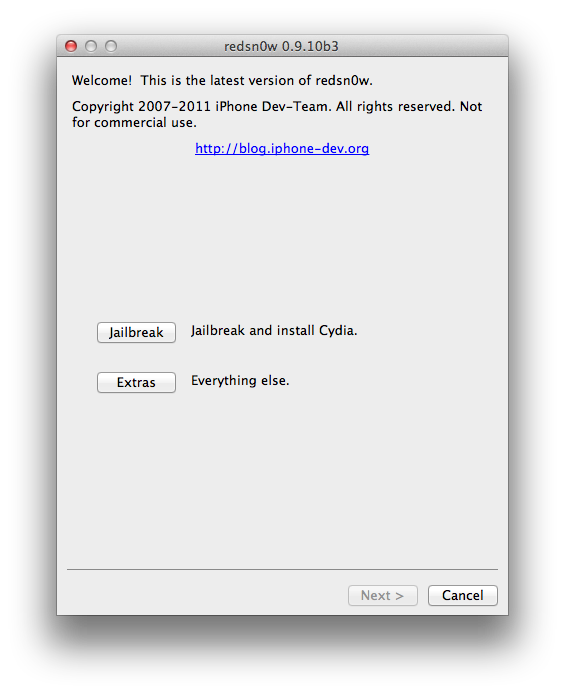
2. Open up redsn0w and you will be welcomed by the following screen (click to enlarge):
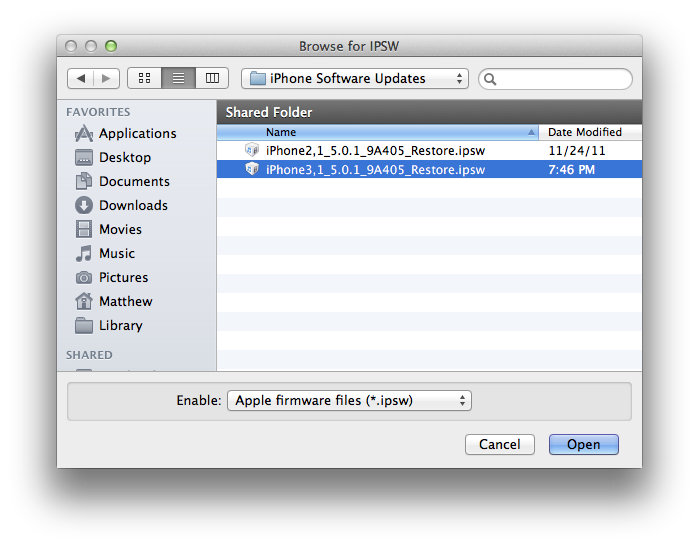
3. From the welcome screen hit extras->select ISPW and find your iOS 5.0.1 download.
4. You will see a prompt saying that this will be used for the rest of the session. Select ok. From the screen hit back to get to the main screen from number 2. Then hit jailbreak
5. Just select jailbreak for now and hit next. (Multitasking gestures don’t work on the iPhone and should work on the iPad 1 with iOS 5.0.1)
6. Follow the on screen instructions and wait for reboot.
7.To get a reboot you will need to press back to get to the main screen when the Apple Logo appears on your phone. From there hit extras and then boot tethered. Follow the instructions and you should be fine. If this was done correctly you should see your iDevice booting with a pineapple
8. Enter cydia. Hit developer and then go to the search. From there search Corona. In the drop down menu it should say Corona 5.0.1 untethered. Select that and then install. You know have a fully jailbroken phone! If you did not get any of this watch the tutorial below!











 uApps
uApps 