uSurf 5.1 Now Available!

uSurf 4 iTunes

Happy WWDC 2016 all! Even though I was not liveblogging the event I was paying close attention to it! To celebrate all of todays news a new version of uSurf is being pushed right now! Here’s what’s new in Version 5.1:

uSurf 5.1 Changes:

  • Added open in Safari to iPhone Share Sheet.
  • Replaced Home with Single Square for Settings View.
  • URL Field Will Clear Text When You Tap It!
  • Split Tabs into iPhone and iPad Sections.
  • Made it so share sheet follows theming rules.
  • Fixed issue when switching to light theme the tables had the previous themes color…
  • Fixed Issue Where Adding A Tab in Split Screen didn’t add it to iCloud…
  • Fixed issue where adding a bookmark in split screen did nothing…

There are going to be a lot of additions coming this summer and with iOS 10 more towards September! I’m going to go and start diving into the new SDK’s and I will see everyone in the next update! (If the update is not showing right away it is probably because Apple’s servers are jammed right now… Should show up sometime soon!)

Download uSurf for free for iOS!

uSurf 5 Now Available

uSurf 4 iTunes

As my first semester at college comes to a close and WWDC and iOS 10 coming fast I decided it was time to give uSurf a big update… Yes, this update is huge in terms of the amount of work that went into it, the amount of testing, and the amount of functionality that is not only fixed, but added as well.

Today uSurf 5 is live on the App Store and the main focus is cross-device syncing. With uSurf 5 bookmarks and tabs will sync between devices using iCloud. If you don’t use iCloud they will be stored locally on your device. There is also an option to sync your homepage with iCloud that is enabled by default.

However of course this being such a big update there is a long list of changes and here is the full change log:

  • Added iCloud Syncing For Bookmarks!
  • Added iCloud Syncing For Tabs!
  • Home Screen *Can* be Synced With iCloud!
  • iCloud Syncing Also Works For Split-Screen!
  • Added Themes to Tab View.
  • Added Themes to Bookmark View.
  • Added Themes to History View.
  • Fixed theming issues with first time setup — Oops.
  • Fixed the positioning of the left history button in split screen.
  • Fixed issue with rotating the iPad and full screen.
  • Fixed issue with the blur view (iPad Settings).
  • Fixed issue where hitting “Close” on history view would bring you to split screen somehow (iPhone).
  • Fixed issue when changing orientation will cause the homepage view to be off centered (iPad).
  • Fixed Issue where going to change the homepage will result in a blank browser window on return (iPhone)

So while there are a lot of fixes the additions are massive. This features took extra time to implement because my time has been limited due to school and the fact I wanted the data to be moved and not erased.

I hope that you enjoy the update and cross device syncing which I think is going to be a great addition. Generally what happens is I will implement features to our single view and then make it to split screen but I made sure everything works within all views this time. I also made sure that the theming issue has been fixed with *all* views. Of course if you find problems use the contact sheet on uSurf Support or the built-in email to contact me. Otherwise I will see you at either the next update!

Download uSurf Free from the App Store.


uSurf 4.2 Now Available

uSurf 4 iTunesuSurf 4.2 began hitting the app store last night with some great updates to Split-Screen for iPad. uSurf 4.2 has the following changes:

  • Added history to split screen
  • Added retina icons to split screen
  • Added home button to split screen
  • Fixed issue when changing orientation in split-screen the share sheet would move…
  • Fixed issue when sharing on split screen iPad the Twitter and Facebook icons weren’t there.

As always bug reports can be submitted through the app, on uSurf support on here, and of course on this post.

Happy Updates!

Continue reading “uSurf 4.2 Now Available”

uSurf 4.1 Now Available!

uSurf 4 iTunes

uSurf 4.1 is now being pushed to the App Store for your iOS Device. uSurf 4.1 fixes a lot of issues and adds some great new things, including adding back support for iOS 8! As you can see I have also changed the icon (and may make tweaks to the current but expect it to stay at that for now!) The official changelog below!

4.1 Changes:

  • Removed Snow (Time for some warm weather!)
  • Changed Icon (The old one wasn’t doing it for me)
  • Made it so when you add a bookmark the current URL Shows in the field
  • Adding a new tab will now bring you back to your homepage and show that you have added a tab.
  • Added share sheet to iPhone 4s/5(s)
  • Enough of the icons not being retina, I have made the icons higher quality (will be in split screen soon I promise)!
  • Added new sharing icons for Facebook and twitter.
  • Fixed issue on iPhone where back and forward gesture arrows wouldn’t show.
  • Fixed issue with changing the home page on iPhone
  • Fixed issue with auto-correct and adding a bookmark
  • UI Fixes and additions.
  • Added back support for iOS 8!

Of course I am always looking for suggestions and bugs to fix with the next version so use the contact sheet below, email me using the in app email, or leave a comment to leave me some feedback.

Happy Downloading!

Continue reading “uSurf 4.1 Now Available!”

uSurf 4.0.1 Now Available

uSurf-4-512@2x

uSurf 4.0.1 is live on the App Store for iOS right now and it bring some much needed fixes that were discovered with the release of 4.0.

4.0.1 Changes:

  • Fixed issue with fullscreen and iPhone laying flat…(oops?)
  • Fixed issue with iPad Share and Support Buttons
  • Fixed issue with blur sheet for homepage (iPad Pro)

As of right now this is it for changes. I of course am always looking for things to fix and ways to improve so if there are any suggestions please leave a comment or email uApps@icloud.com with the subject uSurf!

Download uSurf 4.0.1 for free on the App Store

uSurf 4 Now Available!

uSurf-4-512@2x

uSurf launched around a year ago and it has grown so much in the year it has been out. For uSurfs 1st birthday I thought I would give it a big update with some great new features. uSurf and uApps have grown a great deal within this year and even though there has been some great updates and I would like to thank you for downloading. There will be plenty of more updates coming. uSurf 4 comes with a pretty big changelog:

Time for some upgrades…

4.0:

  • Added new icons for various things around the app!
  • Added full screen browsing to iPhone in Landscape Mode!
  • Added Option For Full Screen Browsing on iPad (Landscape)!
  • Added buttons in views for split screen users(finally).
  • Starting to incorporate 3D Touch (iPhone 6S/6S+)
  • Added the ability to have a home page
  • Added some neat little animations with our new features!(This actually took a lot of time so I wanted to make it known)
  • For iPhone 6 and higher there is a new share sheet!
  • Fixed animations with share sheet!
  • Fixed issues with the right URL Bar…
  • Fixed issues with the setting layout (iPhone 4 and 5)
  • The snow will be sticking around for now!

Thanks for using uSurf for an entire year and I will see you all with the next update.


uSurf 3.2 Now Available!

uSurf Icon iTunes

The holidays are here and the last uSurf update of 2015 is also here!

uSurf 3.2 gives a little holiday cheer:

  • Added a green theme for a more holiday vibe!
  • Added snow into our info panel because of winter! (Just like our website!)
  • New Holiday Icon!
  • iOS 9 Only
  • Fixed the issue where the textField for iPhone would start mid text…
  • Minor UI Changes.

Again this is the last update for uSurf in 2015 so I hope you have enjoyed a year filled with updates!

uSurf – Free (App Store)

uSurf 3.1 Now Available

uSurf 2 iTunes

uSurf 3.1 is finally here with some much needed improvements and some new features.

What’s New:
3.1:
-Added Color Themes To iPad!
-Added Gesture Recognizer Indicator When Navigating with gestures
-Removed Gestures For Split Screen
-Added It So You Can Delete Certain History Items
-Added alert that will not allow split screen with iPad in Landscape
-Fixed Issues with iPhone Theme and Adding Bookmark View
-Fixed Issue with split screen http:// input
-Fixed Issue with autolayout and Bookmark adder
-Fixed issue where the blur effect didn’t go over the toolbar
-Multiple small UI Fixes
-Fixed issue where deleted tabs / bookmarks came back…

That’s all for now. A new update will be coming along shortly!

Download uSurf for free on the App Store.

Everything you need to know about the new iPhone 5!

;

;

The day has finally come with the new iPhone being announced. So I thought I would run down the most important aspects that make this phone the best iPhone yet.

Pre Orders and Launch
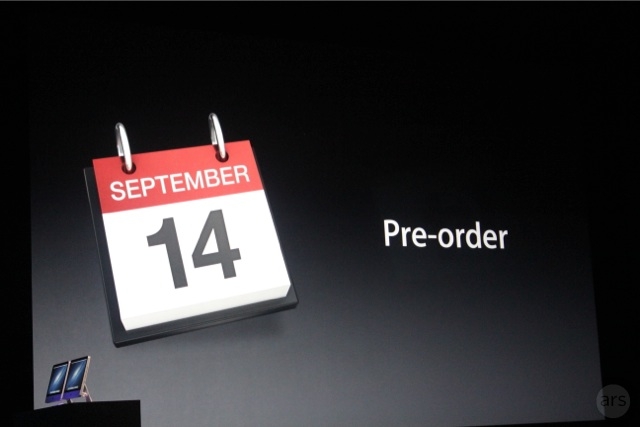
The new iPhone will not be available for pre order today (Sad Face) but they will be available for Pre Order on September 14th in the US and available in store 8AM. This will also be the date the Pre Orders arrive. There is no word on what time the Pre Orders will start but if history repeats itself (Which it is with Friday being the day!) then Pre orders will start at 3:45 PM Eastern or 12:45 Pacific.

The New Charger

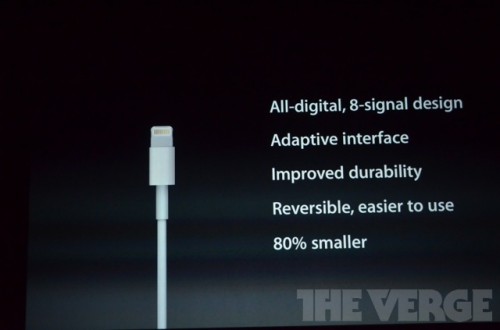
The new charger for me is actually one of the best things. For so long I have wished it was smaller. However I hard a little nerd freakout moment when they said that the connector works both ways. All of you know this feeling: When you are in the dark ready to charge your iPhone and then you can’t figure out which way the connector goes. No more! There of course will be an adaptor that looks ridiculous but can already bought on the online store!

The New Screen
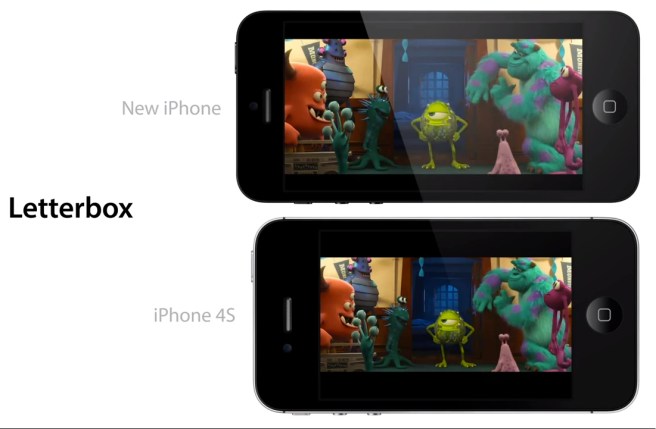
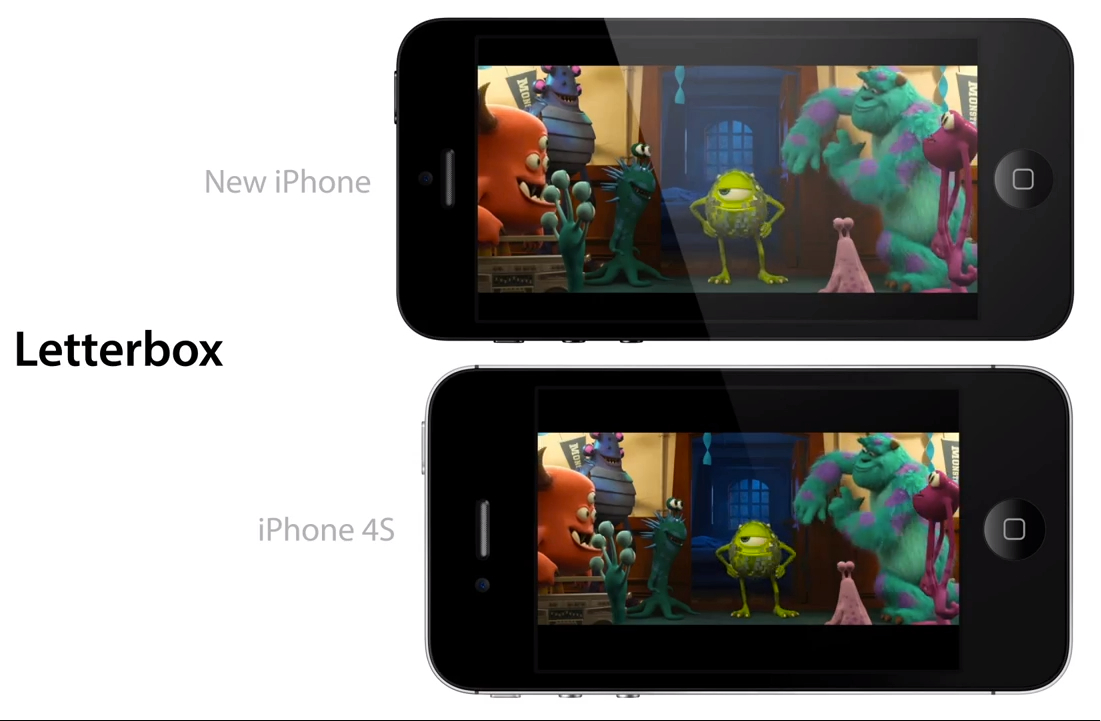
Of course we have known about this for a while but today it is official: The new iPhone for the first time ever will have a bigger screen then the ones in the past. if it seems pointless now that’s because it sort of is. However I have high hopes the next iOS(7) will take us away with the new screen!

A6
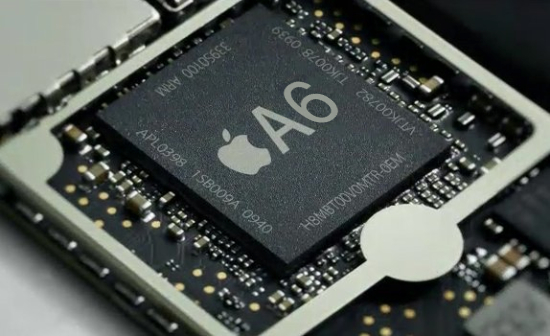
The new iPhone sports a brand new never before A6 processor. This chip will make your iPhone fly. I don’t know all the details but I am told that it is 2x faster than the iPad. Hopefully this is true

LTE

This one was not really a surprise for me because the iPad had it. However now the iPhone is able to connect to LTE on Verizon, AT&T, and Sprint. Sorry T-Mobile USA you will not have the iPhone unless you get one unlocked.

Earpods
;

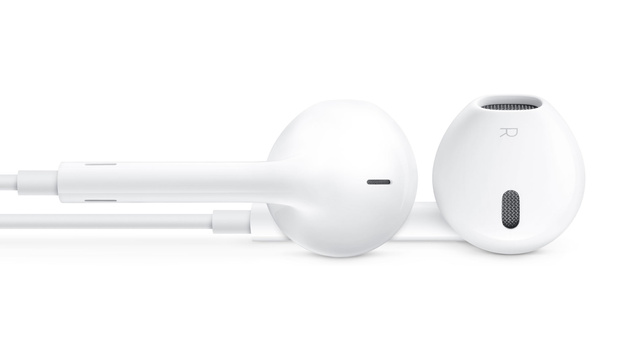
The new headphones that will come with the iPhone 5 are designed specifically for your ear without suction. I have hope they will be decent.

Design

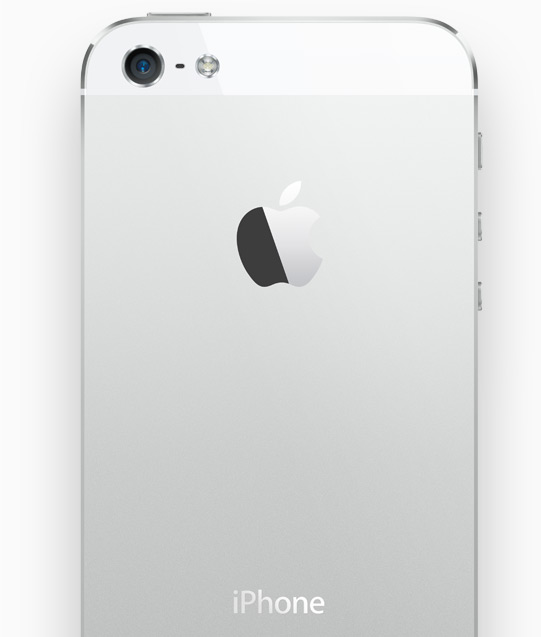
Finally we are at the design. They say they have an entire new design for the phone but that’s not true. It has the same form factor as the 4 did but the screen and sides and back are all different. The back will be Slate and Black for the Black Model and Silver and White for the white model.The sides will be aluminum and will match the color of the aluminum on the back.

Remember that the phone has the same price point and same storage models.